Affordable Website Design Service vs DIY Website Builder
Introduction
Starting a business today often begins with a simple question: How should I build my website?
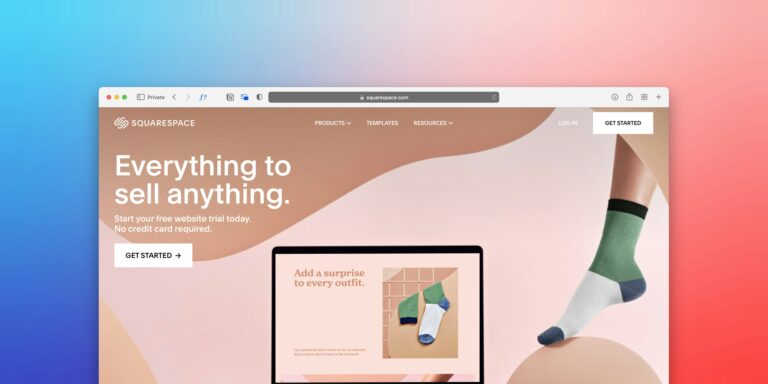
For a new business owner, there are two obvious choices. You can use a DIY website builder and create the website yourself, or you can hire an affordable website design service to build it professionally. At first glance, DIY seems like the cheaper option. Website builders advertise low monthly prices, templates, drag-and-drop editors, and the ability to launch without coding.
But there is another cost that is easy to overlook: your time, expertise, missed opportunities, and the quality of the final website. For a business website, the goal isn’t simply to get a website online. The goal is to create an online presence that builds trust, attracts the right visitors, generates inquiries, supports SEO, and helps the business grow.
Quick Answer: Which Is Better?
A DIY website builder is usually suitable if you have a very small budget, enough time to learn website design, and simple requirements. An affordable website design service is usually the better choice when your website needs to look professional, perform well, support SEO, generate leads, and represent an established business. The best option depends on your goals, budget, technical ability, available time, and how important the website is to your business. If the website is going to be a major source of customers, treating it as a strategic business asset rather than a simple DIY project can provide significantly more value.
Affordable Website Design Service vs DIY Website Builder at a Glance
| Factor | Affordable Website Design Service | DIY Website Builder |
|---|---|---|
| Initial cost | Usually higher | Usually lower |
| Time required from owner | Low to moderate | High |
| Custom design | High | Usually limited by templates |
| Technical knowledge | Professional handles it | Owner must learn |
| SEO setup | Can be professionally planned | Mostly self-managed |
| Performance optimization | Can be included | Depends on platform and setup |
| Conversion strategy | Can be built into design | Usually owner-managed |
| Maintenance | Can be outsourced | Usually self-managed |
| Scalability | High | Depends on platform |
| Support | Professional support may be available | Platform support |
| Best for | Businesses focused on growth | Simple websites and experimentation |
What Is a DIY Website Builder?
A DIY website builder is a platform that allows users to create websites without traditional coding. Popular website-building platforms generally provide:
- Templates
- Drag-and-drop editors
- Hosting
- Basic SEO controls
- Forms
- Image management
- Mobile layouts
- Analytics integrations
- Domain connections
The main advantage is simplicity. You select a template, replace the text and images, customize the colors, create your pages, and publish. For someone who needs a simple online presence quickly, this can be a practical solution. However, “easy to build” does not necessarily mean “easy to build well.” A professional business website involves much more than arranging elements on a screen.
What Is an Affordable Website Design Service?
An affordable website design service provides professional website planning, design, development, and often additional services such as SEO, performance optimization, security, analytics, and maintenance. The word affordable should not mean cutting every possible corner. Instead, an affordable professional website should focus the budget on the things that have the greatest business impact. For example, a small local business may not need:
- Complex animations
- A custom web application
- Dozens of integrations
- Advanced membership functionality
But it may absolutely need:
- Professional branding
- Mobile responsiveness
- Fast loading pages
- Clear service information
- Local SEO foundations
- Contact forms
- Strong calls to action
- Trust signals
- Analytics
- Secure configuration
A good affordable website design service prioritizes those requirements rather than adding unnecessary features.
DIY Website Builder: The Main Advantages
DIY website builders are popular for good reasons.
1. Lower Initial Cost
The most obvious advantage is cost. Many DIY platforms provide inexpensive entry-level plans, allowing someone to launch a basic website without paying a professional developer. This can be attractive for:
- New startups
- Individual freelancers
- Personal projects
- Very small businesses
- Businesses testing an idea
However, remember that the advertised starting price may not represent the total long-term cost. Premium templates, additional apps, higher hosting tiers, transaction fees, email services, and other features can increase the actual cost.
2. You Can Build the Website Yourself
If you enjoy learning technology, a DIY platform can be empowering. You control:
- Content
- Images
- Colors
- Pages
- Basic layouts
- Updates
You don’t need to wait for a developer every time you want to change a heading or image.
3. Faster for Very Simple Websites
A simple website can sometimes be launched quickly using a ready-made template. For example, a freelancer who needs only:
- Home
- About
- Services
- Portfolio
- Contact
may be able to create a basic website without professional development. The problem begins when the website requirements become more complicated.
DIY Website Builder: The Disadvantages
1. Your Time Has a Cost
This is one of the most overlooked factors. Suppose a business owner spends 20 hours learning the platform, creating pages, finding images, writing content, fixing mobile layouts, configuring forms, and troubleshooting SEO problems. Even if the platform costs very little, the project has still consumed valuable business time. If the owner’s time could have been spent acquiring customers or managing the business, the “cheap” website may not actually be cheap.
2. Templates Can Make Websites Look Generic
A template can provide a useful starting point. But many DIY websites end up looking similar because owners make only basic changes. Professional differentiation can come from:
- Custom layouts
- Better typography
- Consistent branding
- Strong visual hierarchy
- Original photography
- Better copywriting
- Strategic calls to action
- Industry-specific UX
Your website should communicate why customers should choose your business—not simply prove that you have a website.
3. SEO Requires More Than Filling in a Meta Description
Most website builders provide basic SEO settings. That is useful, but SEO involves much more. A professional SEO-friendly website should consider:
- Search intent
- Keyword targeting
- Website architecture
- Internal linking
- Page structure
- Content quality
- Mobile usability
- Performance
- Indexability
- Canonicalization
- Structured data where appropriate
- Local SEO
- Search Console data
Simply adding a keyword to a page title does not create an effective SEO strategy.
4. Conversion Optimization Is Often Missing
A website can receive visitors without generating customers. Consider a local service business website. A visitor arrives after searching for a service.
- What happens next?
- Does the page immediately explain the service?
- Is there evidence that the company is trustworthy?
- Is the phone number easy to find?
- Is there a quote form?
- Is the next step obvious?
These are conversion questions. A professional website design service can build the page around the customer’s decision-making process instead of simply making it visually attractive.
When a DIY Website Builder Makes Sense
DIY is not automatically a bad choice. It can be appropriate when:
- Your budget is extremely limited.
- You have plenty of time.
- Your website is simple.
- You enjoy learning technology.
- The website is not your primary customer acquisition channel.
- You are validating a business idea.
- You only need a temporary online presence.
For example, someone launching a new side project may reasonably start with a DIY website. The important thing is to understand the trade-off. You are generally exchanging money for your own time and effort.
When an Affordable Website Design Service Makes More Sense
Professional website design becomes more valuable when the website directly affects revenue. Consider professional help if:
- You rely on online leads.
- You want to compete in search results.
- Your business operates in a competitive market.
- Your existing website looks outdated.
- Your website gets traffic but few inquiries.
- You need e-commerce.
- You need booking or appointment functionality.
- You require custom integrations.
- You need a strong local SEO strategy.
- You don’t have time to build and maintain the website yourself.
For these businesses, the website should be treated as a marketing and sales tool.
Why It Matters
Your website is often the first detailed interaction a potential customer has with your company. A customer might discover your business through:
- Google Search
- Google Maps
- Social media
- Online directories
- Referrals
- Advertising
- AI-powered search experiences
They may then visit your website before contacting you. That means your website needs to answer several questions quickly:
- Who are you?
- What do you offer?
- Can I trust you?
- Why should I choose you?
- How can I contact you?
If the website fails to answer those questions, the visitor may leave—even if your actual service is excellent. That is why choosing between DIY and professional website design is a business decision, not just a technology decision.
The Real Cost: DIY vs Professional Website Design
Comparing only the upfront price can lead to the wrong conclusion. Consider the total investment.
- DIY website cost: You may pay for:
- Website builder subscription
- Domain
- Premium template
- Additional apps
- Business email
- Your own time
- Learning
- Troubleshooting
- Maintenance
- Professional website cost: You may pay for:
- Website planning
- Design
- Development
- Domain and hosting
- Premium tools where required
- SEO setup
- Content assistance
- Performance optimization
- Maintenance
The professional option costs more financially, but the DIY option costs more in time. The right question is therefore:
Which option gives my business the better return for the resources I have?
Example: A Local Business
Imagine a local home renovation company. The owner creates a DIY website with:
- One homepage
- Generic stock photographs
- Basic service descriptions
- A contact form
- No dedicated service pages
- No local SEO strategy
- No clear calls to action
The website exists, but it does little to help the business compete. A professionally designed website could instead include:
- Dedicated pages for each major service
- Project gallery
- Customer testimonials
- Strong calls to action
- Click-to-call functionality
- Service-area information
- Lead forms
- Search-friendly content
- Analytics
- Mobile optimization
The second website isn’t necessarily better because it is more expensive. It is better because it is designed around the customer’s journey and the company’s business objectives.
Affordable Does Not Mean Low Quality
This distinction is important for small businesses. An affordable website design service should focus on value, not simply reducing the number of hours spent building the website. A sensible project might use:
- WordPress
- A reliable theme or design framework
- Carefully selected plugins
- Reusable components
- Responsive layouts
- Standard integrations
There is no need to build every component from scratch if an existing solution is reliable and appropriate. This can reduce development time while still producing a professional result.
WordPress and Affordable Professional Website Design
WordPress is particularly useful for this approach because it can support both relatively simple business websites and much more advanced projects. A professional developer can use WordPress to create:
- Business websites
- Local service websites
- Blogs
- Landing pages
- E-commerce websites
- Membership websites
- Portfolio websites
- Content-driven websites
The advantage is that the business can begin with a focused website and expand later. For a startup, that can be much more practical than investing heavily in a complex website before the business has established its market.
Common Mistakes to Avoid
- Mistake 1: Choosing Based Only on Price: The cheapest website is not necessarily the most affordable website. Consider the expected return, maintenance, time investment, and potential for future growth.
- Mistake 2: Believing a Template Is a Complete Website Strategy: Templates solve some design problems. They do not automatically solve positioning, messaging, SEO, conversion, or customer experience.
- Mistake 3: Building Every Feature Immediately: More features mean more complexity. Start with the features that directly support the business.
- Mistake 4: Ignoring Website Speed: A visually impressive website that loads slowly can create a poor experience. Optimize images, scripts, fonts, plugins, and other page resources.
- Mistake 5: Forgetting Mobile Design: A website should be tested on real mobile devices. Check navigation, buttons, forms, spacing, typography, and page speed.
- Mistake 6: Thinking SEO Is Automatic: Neither WordPress nor a DIY builder guarantees search rankings. SEO requires useful content, good technical foundations, relevant pages, and an ongoing strategy.
- Mistake 7: Not Planning for Growth: If you expect your business to expand, choose a website structure that can accommodate additional services, content, products, or locations.
Best Practices for Choosing Between DIY and Professional Design
- Define Your Business Goal: Write down the primary purpose of your website. For example: “I want my website to generate qualified leads for my local plumbing business.” That objective is more useful than simply saying: “I need a website.”
- Calculate the Value of Your Time: Estimate how many hours you would realistically spend building the website. Then compare that with what you could accomplish in your business during those hours. This often changes the cost calculation.
- Start With Essential Pages: Don’t build 30 pages when you need only 7. Focus on:
- Homepage
- About
- Services
- Individual high-value service pages
- Testimonials or portfolio
- Contact
- Blog, where relevant
- Prioritize SEO From the Beginning: Make sure the website has:
- Logical URLs
- Clear headings
- Search-intent-focused pages
- Internal links
- Descriptive titles
- Useful content
- Mobile-friendly layouts
- Strong technical foundations
- Focus on Conversions: Every important page should have a logical next action. Examples:
- Request a Quote
- Book a Consultation
- Call Now
- Get Started
- Contact Us
- Keep the Technology Simple: Don’t install tools simply because they are available. Every plugin, app, script, and integration should have a purpose. A simpler website is often easier to maintain and troubleshoot.
- Think Beyond Launch Day: Website development is not finished when you press “Publish.” Plan for:
- Updates
- Backups
- Security
- SEO improvements
- Content updates
- Performance monitoring
- Conversion testing
A website should improve as the business grows.
Affordable Website Design Service: What Should You Expect?
If you decide to hire a professional, ask what is actually included in the package. A professional affordable website package should clearly define items such as:
- Design
- Customization
- Branding
- Responsive layouts
- Page structure
- Development
- CMS setup
- Forms
- Navigation
- Integrations
- Basic functionality
- SEO Foundations
- SEO-friendly structure
- Page titles
- Meta descriptions
- Heading hierarchy
- Search-friendly URLs
- Sitemap/indexing setup where appropriate
- Performance
- Image optimization
- Basic caching/performance configuration
- Mobile optimization
- Security
- HTTPS
- Updates
- Backup strategy
- Basic security configuration
- Launch
- Testing
- Forms
- Links
- Mobile layouts
- Browser compatibility
The exact scope should always be agreed upon before development begins.
How Ash Web Work Can Help
For small businesses, startups, bloggers, and local businesses, the goal should not simply be to “have a website.” The goal should be to create an online presence that supports business growth. Ash Web Work focuses on professional website design and development for businesses that want a practical balance between affordability, design quality, usability, SEO foundations, and scalability. Whether you need a new WordPress website, a redesign of an outdated website, or a stronger foundation for online marketing, the right approach starts with understanding your business rather than selecting a template first.
Frequently Asked Questions
1. Is an affordable website design service better than a DIY website builder?
It depends on your requirements. DIY builders are useful for simple projects and businesses with very limited budgets. A professional service becomes more valuable when design quality, SEO, conversions, performance, scalability, and time savings matter. For a business that depends heavily on its website for leads or sales, professional development can provide considerably more value than building everything alone.
2. Is it cheaper to build a website yourself?
The initial financial cost can be lower with a DIY website builder. However, you also need to consider your time. Learning the platform, designing pages, writing content, fixing mobile layouts, configuring SEO, troubleshooting problems, and maintaining the website can require many hours. DIY is financially cheaper in some situations, but it is not necessarily cheaper when the value of your time is included.
3. Can a DIY website rank on Google?
Yes. A website created with a DIY builder can appear in Google Search. However, rankings are not guaranteed by the platform. Successful SEO depends on content quality, relevance, technical accessibility, website experience, authority, competition, and many other factors. A professional can help establish a stronger SEO foundation, but no legitimate website designer can guarantee a specific Google ranking.
4. How much should I spend on a small business website?
There is no universal price because requirements vary. A basic informational website requires far fewer resources than a custom e-commerce website or a website with advanced integrations. Instead of selecting a budget based solely on a market price, define the pages, features, content, SEO requirements, and maintenance needs first. Then compare quotes based on the actual scope of work.
5. Can a professional website still be affordable?
Yes. Professional does not necessarily mean expensive. A developer can control costs by using reliable frameworks, established CMS platforms, reusable components, and only the features the business actually needs. The objective should be to maximize business value while avoiding unnecessary development.
6. Should a startup build a DIY website or hire a professional?
A startup should consider its stage and goals. If the company is validating an idea and only needs a temporary landing page, DIY may make sense. If the website is being used to attract investors, customers, search traffic, leads, or partnerships, professional design may provide a stronger foundation. The decision should reflect how important the website is to the startup’s growth strategy.
7. What should I look for in an affordable website design service?
Look beyond price. Ask about:
- Previous work
- Mobile responsiveness
- SEO foundations
- Website speed
- Security
- Backups
- CMS ownership
- Hosting
- Domain ownership
- Revisions
- Maintenance
- Support
- Deliverables
- Project timeline
Most importantly, make sure you understand exactly what you are paying for.
Conclusion
Choosing between an affordable website design service and a DIY website builder ultimately comes down to priorities. A DIY website builder can be a sensible choice when you have a simple project, limited funds, and enough time to build and maintain the website yourself. Professional website design becomes more attractive when your website is an important part of your marketing, sales, SEO, or brand strategy. The key is to avoid thinking only about the initial price. Consider the complete value:
Money + Time + Quality + SEO + Performance + Conversions + Scalability.
For many small businesses, startups, and local companies, investing in an affordable professional website can provide a stronger long-term foundation than trying to do everything themselves. A website should not simply look good. It should help your business get found, build trust, generate opportunities, and grow.
Ready to Build a Better Business Website?
If you’re comparing a DIY website builder with an affordable website design service, Ash Web Work can help you determine what your business actually needs. Whether you’re launching a startup, upgrading an outdated website, starting a local business, or building an online presence for a growing company, we can help create a professional website focused on design, usability, SEO foundations, performance, and conversions. Don’t pay for features your business doesn’t need—and don’t let a cheap website limit your growth. Discuss your website project with Ash Web Work today. Build smart. Start affordable. Grow with confidence.